
AI Sourcing on LinkedIn & other AI Agent Updates
We’re taking the RECRU AI agent to the next level – and we’re really excited about this one.
The AI agent can now source candidates directly on LinkedIn and work with data across projects and candidate profiles in RECRU. It connects the dots that are usually hard to see, giving you a clearer, more accurate view of candidates and their potential.
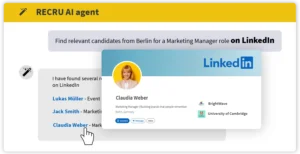
Search on LinkedIn
Connect your LinkedIn account, and the AI agent will find relevant profiles for you.
You can search by:
🗝️ keywords
📍 location (city / country)
🏢 current or past employer
🌐 connection level (1st / 2nd / 3rd connection)
Example:
Find Java Developers in Madrid who work at NexaCore and are my 3rd connections.
Want to add a LinkedIn profile to your database? After the AI agent shows the profiles, just type something like: “Add Adam Novak to the RECRU database.” Then confirm the action by clicking the link provided.
Search your candidate database
Forget complex filters. Just describe who you’re looking for—like you would to a colleague.
The AI agent searches across:
📑 CV data
🛠️ tags
📍 locations
✏️ candidate profiles, including notes
⚙️ custom fields
💼 candidate data within projects
Example:
“I’m looking for candidates in Paris with at least B2 German and notes saying ‘active driver’.”
The AI agent understands context too. Looking for HORECA experience? AI will also find candidates who worked in restaurants, cafés, or hotels—even if “HORECA” isn’t mentioned.
Example:
Find candidates near Vienna with experience in the HORECA sector.
Got a job description? Simply paste it in — the AI agent will find the best matches.
Work with projects
The RECRU AI agent can handle large amounts of project data. When working with a specific hiring process, it’s best to include the project ID (e.g., “Show me candidates in project ID 50”) — this saves a lot time.
How can the AI agent help with projects?
💼 Add a candidate to a project
When the AI agent finds a suitable candidate, you don’t need to add them manually. Just type:
“Add John Smith to project ID 50.” Then confirm via the link provided.
If the candidate doesn’t appear in suggestions, include their candidate ID in your prompt.
ℹ️ View project data
The AI agent can show detailed project information, settings, candidate lists, candidates in specific stages across projects, and more.
Example:
“Give me a list of candidates currently in the Interview stage across all projects.”
🔗 Matching candidates with projects
Based on project requirements (skills, experience), the AI agent can find relevant candidates from your database.
Example:
“Which candidates are relevant for project ID 85?”
Candidate Comparison
Not sure which candidate to choose? The RECRU AI agent makes it easier. Within seconds, it compares key skills, experience, and work history of multiple candidates and presents a clear overview.
Example:
“Compare in detail candidates with IDs 3628 and 3529. I’m hiring for a B2B Sales Manager with Italian.”
Additional Tasks
Beyond working with RECRU data and LinkedIn, the AI agent can handle many other tasks—like drafting emails, interview questions, or assignments for candidates.
Example:
“Prepare a technical test for a Senior Java Developer with 3 tasks: algorithmic, backend, and theoretical. Time limit: 45–60 minutes.”
We continuously improve the AI agent to make it more accurate, faster, and more useful in your daily work.
Our goal is simple: help you simplify recruiting and give you more time for what really matters—working with people.